ShareThis

Showing posts with label Technology. Show all posts

Thursday, March 1, 2012

Saeed Malekpour sentenced to death by Iranian Govt

Back in 2008, Saeed Malekpour, a permanent resident of Canada, was charged by the Iranian government for writing a bit of php code for photo uploads. The program was used for pornographic uploads, which happened unbeknownst to him. Apparently, Malekpour has been held in solitary confinement for the last 4 years, and was convicted in 2010, but it was overturned.

Saeed Malekpour and his wife, Dr. Fatemeh Eftekhari courtesy of iranian.com
This has to be the stupidest story I have ever read as far as how the Iranian government is acting. I am appalled that Iran would have the audacity to have cyber laws like that. It's impossible to take a country like Iran seriously when they do pathetic things like this. The country is run by lunatics; if this isn't proof enough then what is? In the same sense, since people have transported pornography on Iranian roadways, their heads of state should put one another to death for having built those roads.


Sunday, December 25, 2011

Hercules DJ Console MK4 Review


Just purchased the Hercules DJ Console MK4 for Christmas. I am somewhat knowledged on VirtualDJ software (FREE download here), although never using it with actual DJ equipment before.


The MK4 is made of plastic parts but still has a decent feel to it. The knobs have resistance to them to allow for smooth transitions. The sliders work great and the turntables work pretty well. My one complaint about the turntables is that you can spin them hard enough that they keep spinning after you've taken your finger off of them. It isn't a ridiculous amount, but it does happen a little too much.


There are 2 sets of inputs and 2 sets of outputs. Only one of the outputs has a 3.5mm jack but for beginner DJing that's all you need.


I got this mixer to start DJing and so far it has been a lot of fun to play with. The problem I have is that I don't have a very strong music collection, nor the money to pay for acapellas or instrumentals to do my own mixing (or paying off for the legal rights to use those pieces.)


I recommend this device to anyone interested in DJing and wants to get started with some beginner gear.


Hercules MK4 Static coming from Headphones / Speakers


In my second practice-DJing session I ran into the problem of overwhelming static on tracks playing out to headphones/speakers. I was thinking it was probably an issue with power- which it was. The USB settings for most laptops allows them to reduce power consumption to save energy. I had to go into the power management for each of the USB root hubs. I noticed that when I had a usb mouse connected to the USB port next to the mixer USB port, it was causing static, so I moved the mouse USB to the other side of the laptop and it fixed that issue.


If you are experiencing static from your speakers, check out Hercule's manual for laptop optimization.


Friday, December 23, 2011

Three Quick Tips for Attracting Traffic to Your Blog

Here is a pretty good blog article I found:

Search engine optimization (SEO) has been the hot topic in all areas of the blogosphere for years now. Now that creating and maintaining a blog has become fairly simple, bloggers and wannabe bloggers are all about getting readers and creating traffic. While there are dozens and dozens of tips and tricks to mastering SEO available on the web, these three tips are simple and often overlooked.

One of the most important aspects of optimizing your blog is learning to link intelligently. This is an area that people have significant trouble with (and for good reason). Linking in a way that appears both natural and unobtrusive can be tricky. When you link out in your blog posts, you should always be aware of how the links are related to the content you provide. Not everything that you discuss in you blog will warrant a link. You must determine where it is appropriate to use convention to link and where a little more creativity is necessary. The biggest deterrent in a blog is over-linking, however it is also important to realize that under-linking can have very dire consequences as well. If you mention Wikipedia in a blog post, it is obviously not necessary to link to Wikipedia in general because everyone on the internet knows what it is. However, if you mention a specific page from Wikipedia it is not only good that you link to that page, in fact it is necessary.

Another great tip for optimizing your blog is launching your blog posts without comments enabled initially. Unfortunately, many readers will base what they read on how many other people have read it. We've all done it. You click on a post that has an interesting looking title, scan the page, see that there are no comments, and decide that it's not worth reading. Obviously, this doesn’t always happen, but there is something kind of sad about a blog with 0 comments on every single post. The site looks dead and unpopular. The simple solution turn off the commenting option. This way no one can see that there are 0 comments on your blog. After you submit a post, pay close attention to the number of RSS subscribers you have and the number of unique visitors you have each day. Once your RSS subscribers tops 100 or you get more than 300 unique visits a day open up the comments. Using this technique keeps particularly tech-savvy visitors from judging your blog based on popularity.

Finally, many bloggers underestimate the value of guest bloggers for their site. Having already established bloggers write content for your site will help attract their readers to your page and will strengthen your SEO. Of course, it is important that you choose your guest posts and guest posters carefully. The guest posts that you choose should be relevant to your blog's interests and aims. However, it may also be useful to support guest posts that counter something that you have discussed previously. This way you are catering to all spectrums of the general audience and you demonstrate that you are open to discussion. Fostering varied discussion in your blog can be important to generating more interest in it. Another important thing to look for in guest blogs is links or direct references to other posts from your page. If a guest blogger discusses other blog posts you have written, it will encourage readers to read more of your work and it establishes that that guest writer is familiar with your blog.

Monday, December 12, 2011

I Know What You Downloaded on BitTorrent….


So what have you downloaded lately?
If you’re not using BitTorrent through a proxy or VPN, there’s a good chance that the rest of the world can see without asking.
YouHaveDownloaded is a new Russian-based service that claims to track about 20 percent of all public BitTorrent downloads. However, they go a step further than just collecting IP-addresses and file-names by exposing all the harvested information to the public on their website.
People who visit the site immediately see their download history, as far as it’s available in the site’s database. In addition, they can also search for files or IP-addresses to find out who’s downloading what. At the time of writing the database has information on 51,274,000 users who together shared 103,200 torrents.
TorrentFreak got in touch with Suren Ter, one of the site’s founders, to find out why they decided to create this spying tool.
“We just want to remind people that the Internet is not a place to expect privacy,” he says. “Nowadays many people use it without understanding what information they leave behind. Also, even those who understand choose to ignore it quite often.”
torrent
The Russian developers created the site partly as a wake-up call. Those who don’t want this kind of information to be public should take steps to anonymize their traffic, and do that right. This message is also reflected in the site’s ‘privacy policy‘.
“Baby, this is the Internet. There is no such thing as privacy around here. You are sitting in the privacy of your own house, clicking links, reading stuff, watching movies. It may seem like you are pretty much alone, but smart nerds are watching you. They watch your every move. You are not human to them. You are a target — a consumer,” it reads.
Jokes aside, the site does indeed make people aware of the public nature of BitTorrent, something that can’t be stressed enough. Of course not everyone will be happy to see that their information is being exposed, so the developers also offer an option to de-list an IP-address.
Apart from exposing download habits the developers are also considering the creation of a more private file-sharing protocol. They already have a theoretical concept based on Bitcoin’s technology, but a workable piece of software is still very far away.
“The general idea is similar to what Bitcoin does. The key is to have an anonymous and reliable identity for each peer, and a Bitcoin-like signature chain algorithm will help,” Suren said.
The developers are currently trying to find out how viable their idea is, and then they’ll decide whether they should continue working on it or not. For now, they’ll keep on tracking dozens of millions of downloaders, for all the world to see.
Update: For those who have dynamic IP-addresses the service is obviously going to show content that someone else has downloaded.

Beautiful customizable Antec Lanboy air Red Black / Red Steel / Plastic ATX Mid Tower Computer Modular Case

Antec Lanboy air Red Black / Red Steel / Plastic ATX Mid Tower Computer Modular Case


Only $90 after $30 MIR. Pretty solid case. I am so tempted to buy this!

http://www.newegg.com/Product/Product.aspx?Item=N82E16811129091

Only $60 - Seagate ST1000DL002 Barracuda® Green Hard Drive - 1TB, SATA 3G, 5900 RPM, 32MB

Seagate 1TB SATA 3G Barracuda® Green Hard Drive
Seagate ST1000DL002 Barracuda® Green Hard Drive 
The Seagate ST1000DL002 Barracuda® Green Hard Drive saves you time. With the Seagate ST1000DL002 Barracuda® Green Hard Drive you can be sure you're getting the best performance in the green-power drive category. The Seagate ST1000DL002 Barracuda® Green Hard Drive features a SATA 3Gbps interface, 32MB cache and the industry's only 5900-RPM spin speed. Purchase the Seagate ST1000DL002 Barracuda® Green Hard Drive today!
What It Is and Why You Need It:
  • 1TB
  • SATA 3G
  • 5900 RPM
Not a bad drive. Great for storage. I wouldnt recommend installing your OS or games on it (new games anyway), but it would make a great storage drive for movies, files, music, etc. View on TigerDirect

Sunday, December 11, 2011

Switches vs. Hubs


What is the difference between a switch and a hub?

The battle is on, it is the switch vs. the hub. Even though both of these devices look the same, the difference between the two is extreme. Which should you place your money on?  Only the person with a clue will know.
Before we compare Hubs & Switches we need to take a step back and look at the network data in which the switch and hub are distributing.
When a computer sends data on the network it sends it in packets.  Each packet is labeled with a Source and Destination address, known as a MAC address (think of it like a letter you are sending over postal mail).  The MAC address is the Media Access Control address.  This doesn't really mean anything to us right now, but it is important to know that every network device out there has a unique MAC address. You can read our articles on MAC addresses and TCP/IP addressing for more information.

About Hubs

Hubs are very dumb network devices.  They allow all devices that are connected to it to communicate to each other.  It makes no decisions about traffic direction, it doesn't inspect traffic quality or verify packet integrity.  All network data it receives on one port will be immediately transmitted out all the other ports, so each computer must take it's turn before sending data.  This is called half-duplex, it is very inefficient.
Here is a great example.  I have 3 computers plugged into a 10 M-Bit hub:
  • Larry
  • Moe
  • Curly
I am on the 'Larry' computer and wish to send a file to the 'Curly' computer.  Moe will hear all the talking but will not take action into receiving the file.  Each piece of network data that Moe receives must be inspected by Moe and after Moe realizes that it is not for him the data is ignored.
So the total bandwidth is shared among the computers.  Whatever bandwidth Larry and Curly are not using for this file transfer is left for Moe to use.  My grandpa would be more familiar with this analogy; using a hub on the network can be compared to those old party lines people had when you shared a phone line with several neighbors.
Clue: Hubs distribute all of the data they receive to all the network devices they are connected to. This is a highly in-efficient use of your network bandwidth. However, there is no processing delay created by the hub because the hub, by definition, does no processing.

About Switches

A switch can be considered a 'smart' hub.  It will actively look at the traffic it receives and based on the destination address it will direct that traffic only to the port needed.  The switch listens to each port at the same time without any interference.  A computer plugged directly into the switch will not receive unnecessary traffic and can transmit to the switch whenever it needs to, this leaves all the bandwidth available to each machine.
The switch memorizes the MAC address of each host and which port it resides on.  This is how it can intelligently direct traffic.
Switches can be many times more expensive than hubs, the costs keeps increasing as you look for more features. Features include bandwidth monitoring, Spanning Tree Protocol, being stackable (the ability to have a faster data transfer from one switch to another than the port speed), etc.

Network Implementation

If you already have purchased several hubs and are experiencing a slow network, a single switch can solve your problem.  Instead of having all your hubs daisy chained together, you can separate them by using the switch as the center point between all the hubs.  Any traffic destined from a computer on hub one to a computer on hub two will be directed by the switch and you will avoid traffic propagating to the other hubs.
When it comes to purchasing network equipment, it is very cost effective to get twice as many ports as what you need.  Network growth is something that you can count on in almost every business.

References

Read O'Reilly's Book on TCP/IP and pay particular attention to the information on the OSI reference model Layers 1 and 2.  It is these layers where the hub and switch operate.

Friday, December 9, 2011

COOLER MASTER HAF 932 Advanced Blue Edition RC-932-KKN3-GP Black Steel ATX Full Tower Computer Case with USB 3.0, Black Interior and Four Blue LED Fans-1x 230mm front fan, 1x 230mm top fan, 1x 230mm side fan, and 1x 140mm rear fan


COOLER MASTER HAF 932 Advanced Blue Edition RC-932-KKN3-GP ATX Full Tower Computer Case with USB 3.0, Black Interior and ...COOLER MASTER HAF 932 Advanced Blue Edition RC-932-KKN3-GP Black Steel ATX Full Tower Computer Case with USB 3.0, Black Interior and Four Blue LED Fans-1x 230mm front fan, 1x 230mm top fan, 1x 230mm side fan, and 1x 140mm rear fan


This thing looks like a beast and for only $140!!! With a top, rear, side, and front fan, this bad boy will get plenty of ventilation. Big Case with lots of room for cable management. Air flow is good. HDD bays are set up nice. Fans are very quiet. Fan lights can be turned on or off. Coolermaster Hyper 212+ fits without any issues.

Monday, November 28, 2011

One giant leap for mankind. The Wunderkit concept.


SIGN UP NOW -->

 Task management is only one part of Wunderkit. Wunderkit will actually help you with the grander scheme of creating, organizing and accomplishing things… from one central place. I’d like to introduce workspaces. Workspaces act as projects. Inside a workspace you’ll find everything you need to help you towards your goals.


How about making notes? Absolutely. Notes have their own dedicated section in Wunderkit. The best part? Other people can like and comment them. Note taking is now a social thing, so you can watch your ideas grow with the help of your friends, family and colleagues.

That brings us neatly on to collaboration. Wunderkit puts a huge emphasis on working together with other people. Wunderlist is an incredible solution for collaboration, but we’re going one step further. Wunderkit was built with mass collaboration in mind, and working with others has never been so seamless. You can ‘follow’ other workspaces to see what they’re working on, or let other people follow you. Every workspace comes with its very own profile page. Your mother will find this easy to use, so will your best friend, so will your boss. The entry bar for productivity and collaboration has truly been lowered, and we’re finally making project management simple and fun.
It’s beautiful. Seriously, you won’t believe it. It’s almost like every pixel fell as a tear from an angel. In the words of the late, great Steve Jobs… one more thing. Wunderkit also has something called the Dashboard. It gives you a birds-eye view on all of your workspace’s recent activity. People can post status updates here, which means you can keep up to date with your whole team. With so much going on, you need a condensed way to view it all. 
http://www.wunderkit.com/7acjR5

Saturday, November 26, 2011

ONLY $10 - GIGABYTE GeForce 210 Video Card (GV-N210D3-1GI) - 1GB, DDR3, PCI-Express 2.0 (x16), 1x HDMI, 1x DVI-I, 1x VGA, Direct X 10.1, Single-Slot, Low Profile

GIGABYTE GeForce 210 1GB DDR3 Low Profile PCIe


Here's another great deal from TigerDirect. A low profile GeForce 210 with 1GB of DDR3 onboard. This card is great for home PC owners that aren't serious gamers. This card will work best for older games but will only have moderate performance. If you're not into gaming, but use a desktop PC daily for things like internet, email, watching movies, tv shows ,etc, this would be a great card.


Here is a benchmark done on the 512mb XFX GeForce 210:


FPS stands for "Frames per second". 20 FPS is usually kind of choppy but playable. 30 FPS is typically 'normal' and will have the game running seemingly smooth. 60 FPS and the game runs extremely smooth, anything above that is hardly noticeable.


With the 1GB GIGABYTE card, you'll notice somewhat better performance. The doubled amount of memory will allow more rendering possibilities for the game engine. For example, you would easily render more in Grand Theft Auto IV on the 1GB card at a smoother rate, than on the 512mb card.


For $10, it is hard to argue against this card as not being a budget-buy. You're getting a decent throughput for just $10. Is the card going to play Battlefield 3 or Modern Warfare 3? Don't count on it (unless you're making up for the cheap graphics card with an insane.


Pros:
- Biggest bang for your buck for budget cards
- Includes HDMI
- 1 GB of DDR3 ram


Cons:
- Only 1 HDMI port

Score:
Gaming Potential: 4/10
Everyday use: 8/10
Value for Price: 8/10
Reliability: 8/10 (3 year ltd warranty included)
Overall: 6/10

Friday, November 25, 2011

$300 Barebones Kit - The 1 TigerDirect Black Friday Deal that is actually WORTH IT!


GIGABYTE M68MT Thermaltake V2 Barebones Kit - GIGABYTE M68MT Mobo, AMD Phenom II X6 1055T CPU, Patriot 8GB DDR3 RAM Kit, OCZ 60GB SSD, Lite-On 24x DVDRW, Thermaltake V2 Mid Tower, 450W Power Supply *******$300 *******


GIGABYTE M68MT AMD Phenom II X6 1055T Barebone Kit

GIGABYTE M68MT nForce 630a Socket AM3 Motherboard - Qty: 1 
- Decent performance motherboard; great for gaming, home use, everyday use.
- Probably runs between $80 and $100 by itself.

AMD Phenom II X6 1055T 2.80GHz Six Core Processor - Qty: 1
- I own this processor and it works great. Fast 6 core performance. Terrific processor. 
- Runs $120 to $150 by itself.


Lite-On Internal 24X DVD Writer - Qty: 1
- Nothing special, just a DVD reader/writer. Always handy to have. 
- By itself, $20 to $30

Patriot 4GB DDR3-1333MHz G2 Desktop Memory Module - Qty: 2
- Not a fan of Patriot ram, but 8 gb of DDR3 at 1333 MHZ is a pretty good deal. 
- Runs anywhere from $60 to $80 by itself.

Thermaltake V2 ATX Mid Tower Case with 450W PSU - Qty: 1
- 450W PSU may not be enough for a hardcore gamer. 5000 series Radeons take about a 500W power supply. This may need to be replaced later on if you plan on gaming.
- ~$50 by itself.

OCZ OCZSSD2-2VTXE60G Vertex 2 Solid State Drive - Qty: 1
- Solid state drives are rarely included in barebones, so this kit sticks out as a great steal. Highly recommend getting a 7200 or 5400rpm +1TB hard drive to go along with this barebones kit. You'll only want to use the Solid State drive for the OS and most heavily used games and applications. (60 GB fills up fast...)
- Runs $75 to $100 by itself.


List Price:$499.99 
Instant Savings:-  $120.00 
Price:$379.99 
Less Rebate:-  $80.00

Final price: $300

Final Notes
     Although $80 of the discount is in rebate cards, this is still a pretty good purchase. I imagine this rig would go around $400, so to get it for $300, only needing a graphics card and extra hard drive for space, it is a pretty solid deal.


View here:
http://www.tigerdirect.com/applications/SearchTools/item-details.asp?EdpNo=1529527

Sunday, November 20, 2011

Herit Shah, Google gets back Googblog.com domain (from an Indian)

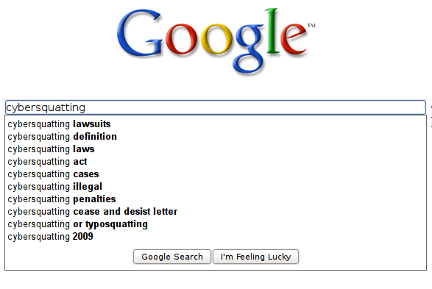
Google cybersquatting search


The World Intellectual Property Organization (WIPO) ordered an individual in India, Herit Shah, to turn over the rights of his domain name “googblog.com” to Google. The search engine and cloud computing giant had filed a complaint against Shah for holding a domain that infringes on the Google and Blogger trademarks, a practice commonly known as cybersquatting.


Google had initially contacted Shah and requested to resolve the issues before filing with the WIPO, but they were unable to resolve the dispute. Cybersquatters knowingly register domain names that are similar or sometimes even identical to company trademarks in order to coerce companies into paying large sums of money to purchase the domains from them. It is an illegal practice and one that large corporations have been fighting more frequently in recent years.
During the proceedings Shah confessed to his wrongdoing, admitting that he intentionally registered the domain, knowing it infringed upon Google intellectual property. He issued an open apology:
“I was in a bad faith that I can legally keep the domain googblog.com … I really did very unfair to Google. I sincerely apologise to Google for infringement, misuse of their intellectual property (GOOGBLOG.COM),” Shah stated.
Google has won back the Googblog.com domain name from an Indian national, Herit Shah.
Google filed a case few months back and WIPO has instructed Herit Shah (who registered the domain, googblog from GoDaddy in Sep 2008) to return back the domain to Google.
More Details
Google’s claim:
  • The Complainant has used the name “GOOG” as a NASDAQ financial stock ticker since 2004.
  • The Respondent registered the disputed domain name on September 25, 2008.
  • Pre-Complaint correspondence between the parties failed to resolve the dispute.
  • The Complainant petitions the Panel to issue a decision that the disputed domain name be transferred from the Respondent to the Complainant.
Herit Shah’s reply:
“I was in a bad faith that i can legally keep the domain googblog.com but when i kept myself in the place of google i understood i really did very unfair to google. since two weeks i have been trying to delete the domain googblog.com, but i am unable to because godaddy has put my domain on hold, on your consent godaddy may delete the domain or unhold it. I sincerely apologise to Google for infringement, misuse of their intellectual property (GOOGBLOG.COM).” – source

Monday, November 7, 2011

[JAVA] Thread Crawler & Bulk Image Downloader


My latest project; a thread crawler and bulk image downloader through Java. This project was easier than expected with only a few roadbumps on the way that were solved pretty quickly.

Here is how the process works:

When you first start the application, it asks to paste  all urls (currently only accepts one at a time, but future versions will allow bulk copy paste.

So, lets crawl a thread. For example, I will use this thread:

From here, the program will analyze the links on this page. It will save all same-domain links and crawl those for images (this is handy when most picture sites have thumbnails that lead to full-size images). Those "children" URLs are crawled after the main url is crawled, and any image over a given size (Im using 15KB) is then saved via byte Stream to the project folder. The byte Stream is not the fastest utility, but it works ok and gives you time to hunt other picture sites while it works.

From here, the process iterates over the  given list of user-submitted URLs and those URLs' children URLs; scouring them all for pictures.

Download log:

And now to see the final product...


Final notes:

Ive noticed some imperfections with the code as far as websites go. Some websites have had more problems parsing than others, and popular items such as Google Images don't work at all. Future implementations will contain special cases for those popular websites.

Business Aspect:

While this was a relatively easy project; there is room for marketing it as an independent application (although, in such an early beta, it would not go live for quite some time.) It would require some reworking and polishing, as well as developing an attractive, and easy-to-use graphical user interface.

I hacked together a simple GUI for it:

However, this is done in NetBeans while my project is in Eclipse. I dont necessarily have the patience to port either to the other, so while Im just using this for personal use, I'll stick to Eclipse's System.in.


Thursday, October 13, 2011

ChromePlus – A Google Chrome Alternative With Extras


chromeplusNot many people know this, but Google Chrome is based on Chromium, an open source browser project. Everyone willing can download the source code, and make a few tweaks to their own Chrome-like browser. That’s right, Firefox isn’t the only contender showing off their code!
Although there are a whole bunch of Firefox spin-offs, Chrome is still pretty much solitary – at least, it used to be.

ChromePlus

Created by Maple Studio, ChromePlus is a Google Chrome alternative that uses the Chromium source code. They’ve released a Chrome spin-off, with some additional features that should make the browser even more fun to use.


ChromePlus looks pretty much the same as its Google brother, and also has the same basic features and strengths – but as a Google Chrome alternative it has a few extra presents under the hood. Read on for a sneak preview of those additions, and see why you’re going to uninstall your current browser in a few minutes time.

Super Drag

Super Drag is an incredible feature that’ll speed up your browsing and research work infinitely. It gives you two nifty extra functions.
google chrome alternative
Most straightforward is link-dragging. By dragging a link, and releasing it anywhere on the page, the link will automatically be opened in a background tab. This is especially useful on laptops, where you don’t have a scroll button and would have to work with Control-click.

chromeplus - google chrome alternative
If you start dragging around pieces of highlighted text, a whole other thing happens. Release your mouse anywhere on the screen and a Google search query will be opened in a new tab. Next time you’re reading a text and encounter something you don’t wholly understand, grab a hold and flick your mouse. This makes ChromePlus into an amazing research tool.
You can specify if the new tab needs to open in the background (default) or foreground of your browser in the options, or disable the function altogether.

IE Tab

IE Tab isn’t new. That is, to Firefox users. It’s one of the most famous Firefox add-ons. The biggest difference is that it’s now implemented in Chrome.
Innovating or not, IE Tab can be a life-saver. Although the practice is dying, some web-developers still feel the need to limit their web experience to Internet Explorer browsers. If you ever encounter a webpage that you can’t access with your Chrome browser, don’t close the app. By pressing the browser logo at the right of your address bar, you can make your browser seem like Internet Explorer.
google chrome clone
New tabs should open up in Chrome mode by default. If they don’t, reversing the process is as easy as you’d think. This time, hit the Internet Explorer button to switch worlds.

Arrow Trace

We already told you how Super Drag was going to make your browsing a lot faster. Here’s another feature that’ll give your productivity a boost.
By holding your right mouse button, and drawing on the screen, you can execute a variety of commands; scrolling up and down, switching tabs, opening a new page, and so on. We call these “mouse gestures”.
google chrome clone
To give you a general idea, here are a few examples:
  • straight down makes you scroll down a page
  • straight up makes you scroll up a page
  • straight left lets you go back in browser history
  • straight right lets you advance in browser history
  • up, sharp left makes you go to the previous tab
  • up, sharp right makes you go to the next tab (screenshot example)
They’ll take some getting used to, but can make your life a lot easier! If you don’t feel like it, you can once again disable it in the options.

Double-Hit-Close

Not that much of an innovation, but you can close a tab by double-clicking it. No more marksmanship required with that little ‘close’ button.

Download Manager Integration

Those using Chrome have probably noticed that it doesn’t support a hell of a lot of download managers. Most of the time, you’ll still be obliged to copy-paste your links.
google chrome clone
ChromePlus has integrated download functionality for a whole bunch of popular download applications. Next time, just right-click your links to have them sent over to your download manager.
You can download ChromePlus here